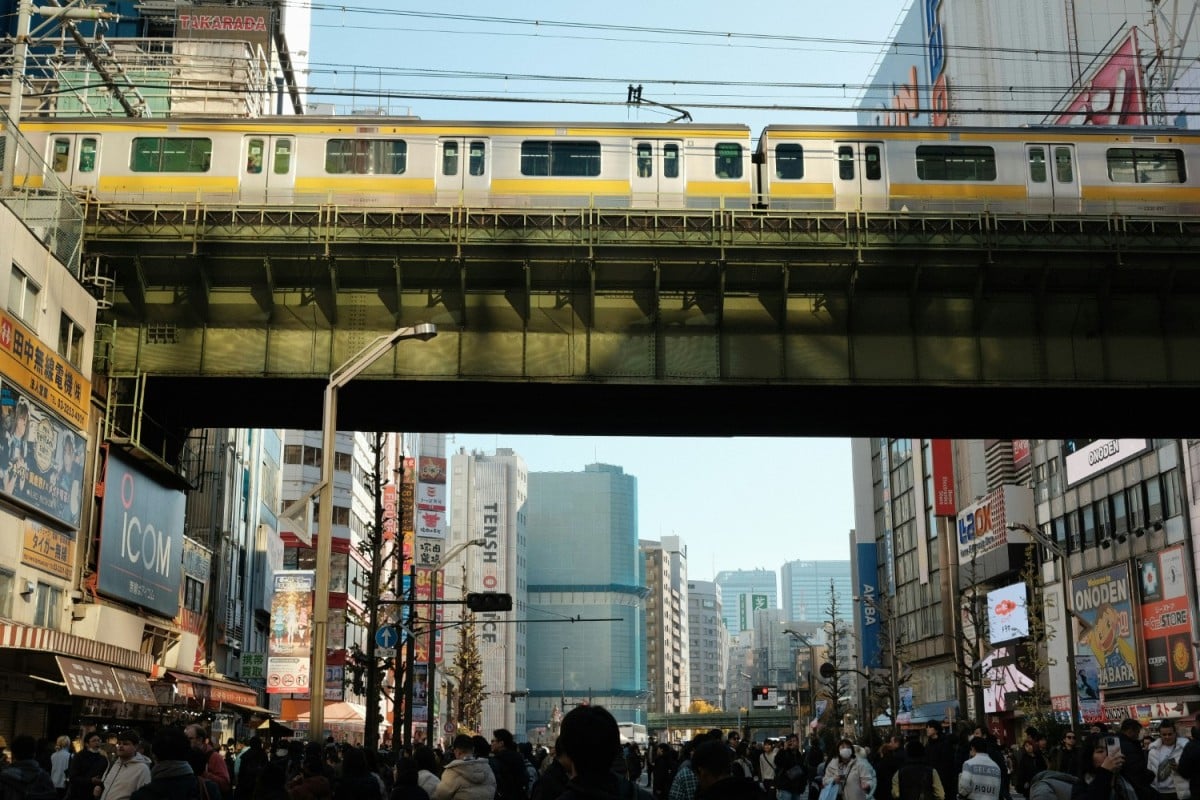
Suica, and its IC Card family, are one of the primary contactless payment options for transportation, retail, services, and even accommodation in Japan. Instead of relying on cash and bringing change everywhere you go, IC cards, like the Suica, are accepted across the country.
You simply can’t visit Japan without understanding and utilizing the IC card system, but it can be a bit overwhelming for a first-time visitor. We break it down for you in this guide.
What is the Suica Card?
The most popular IC card in Japan is the Suica Card, a reloadable contactless card that can be used for most transportation networks in Japan. Suica is the card issued by JR-EAST, the largest railway company in eastern Japan including Tokyo. The card can also be used to purchase items at retail stores, coin lockers, and even some hotels.
Be aware that IC cards are issued by multiple transportation companies, and some are limited to their own networks only.
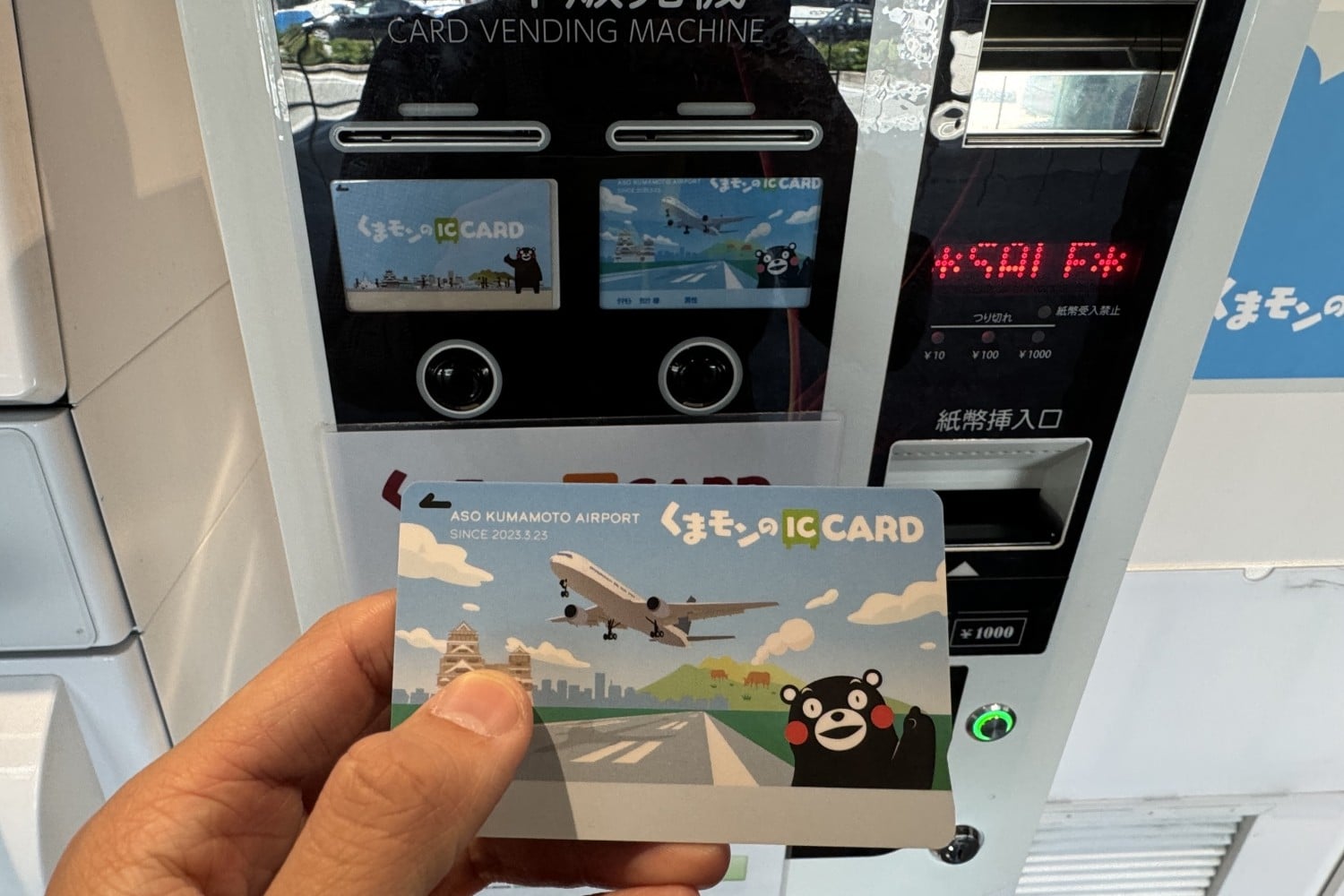
Suica (Tokyo Region)
The standard Suica card is the most popular IC card known to travellers going to Japan. Only sold within JR East service areas including Tokyo and Sendai, most places that accept credit card payments will accept Suica.
Welcome Suica
Marketed towards tourists visiting Japan through Tokyo and the surrounding area, the Welcome Suica is very similar to the standard Suica Card, but with an expiry date. The Welcome Suica is only available at specific retailers.
You can also add a virtual version to your Apple Wallet by downloading the Welcome Suica mobile app, which is only compatible with iPhones and Apple Watches. The app has useful links and information for tourists, including tourism guides,
The Welcome Suica can also be used at JR East Rewards member stores at train stations, where Welcome Suica and regional JR East Passholders can receive gifts and special benefits exclusive to members. Those holding the JR Rail Pass which covers the entirety of Japan are not eligible for the JR East Rewards benefit.
Pasmo
Pasmo works the same way as the Suica, but issued by the non-JR rail companies in the Tokyo Metro Area. Companies include the Tokyo Metro, Toei Subway and Keisei Lines. These railway lines have PASMO vending machines, identified by a pink border around the screens as shown.
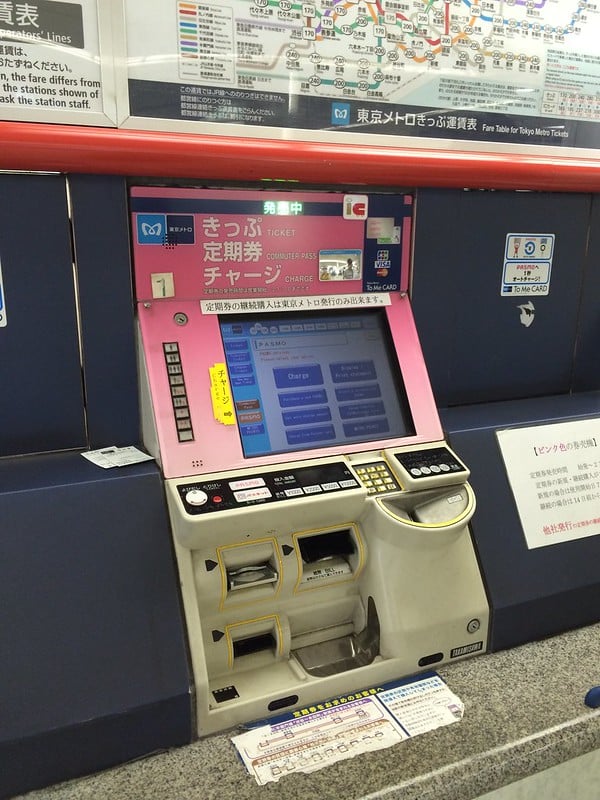
Pasmo is also part of the national mutual usage agreement which means that the cards can be used at the majority of retailers and transit companies anywhere that Suica is used, including JR lines and anywhere with an IC logo.
Where Can You Get a Suica Card?
Physical Suica cards can be purchased at most JR East train stations at vending machines and manned counters. Most vending machines will only accept cash, though some have started accepting credit cards.
You can also get a virtual Welcome Suica Card by downloading the Welcome Suica App, issuing a card, and adding it to your Apple Wallet. Unfortunately, you are not able to issue a virtual Welcome Suica card until you are physically in Japan.

There are also specific scheduled times where certain functions in the Suica app are not available, including:
- from 2 AM to 4 AM for new card registration, top-ups, and transferring the card between different iOS devices
- 5 AM to 12:50 AM for balance and usage history
- 4 AM to 11:45 PM for purchasing discount passes, and
- 5 AM to 11:45 PM for refunding discount passes
Read more about Suica Service hours here.
IC Cards in Other Regions
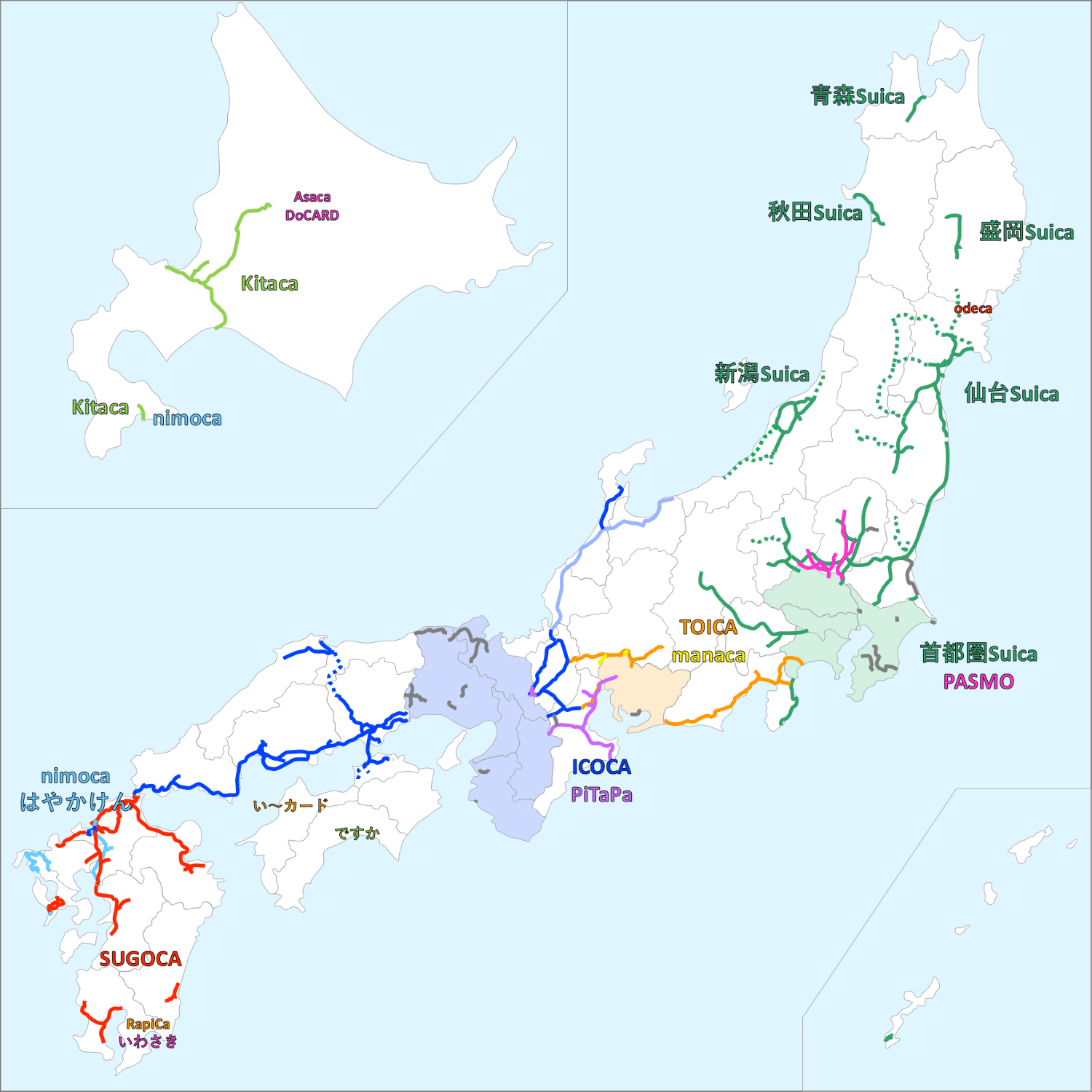
If you’re entering Japan through a different region, like Osaka, you will be issued an IC card that is based in that region. For example, in Osaka, the major IC card issued is the ICOCA while in Fukuoka (Hakata), you can be issued a Hayakaken from the city’s metro or bus system, Sugoca from JR Kyushu, or a Nimoca from Nishitetsu, a private railway in that region. All of these cards are compatible with each other as payments, which will be explained in more detail below.
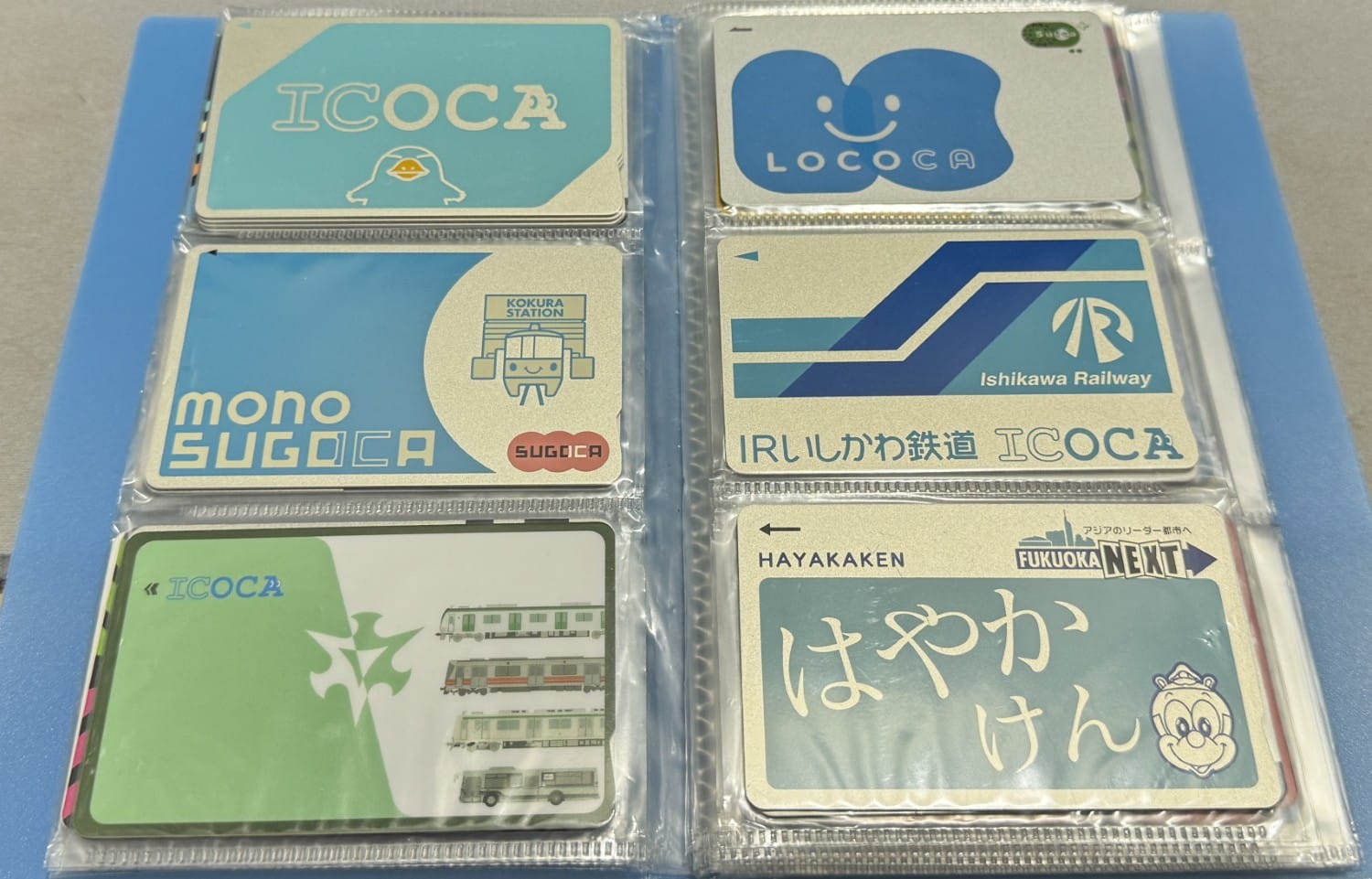
If you like to collect things from your trips, like Japanese eki-stamps or manhole cover trading cards, IC cards come in all different designs and geographical differences. While travelling through Nagoya and staying at the TIAD, Autograph Collection, I was able to meet up with Eli Fessler, a huge IC Card fanatic and collector. So far he has found 135 different versions of IC Cards across Japan as of August 2, 2025, though some will be harder to get than others.
The map below summarizes which of the major IC cards are issued and accepted on railroads in each region.
Using a Suica Card
The Suica Card is used just how you would use a credit or debit card with a tap function. As someone who cannot read Japanese, I tend to go to self-checkouts or stores with an English check-out option to process my transaction. Just select IC Card as the payment method and tap the IC card reader with the Suica and you’ll be good to go!
Where Can You Use a Suica Card
Suica cards can be used across the country at retailers who display the IC symbol at checkout, as well as other nationally accepted cards. You can also check out JR East’s list of retailers that accept the cards.

As mentioned before, Suica is compatible with many of the other contactless smart card systems in Japan. Below, a diagram highlights which IC cards are compatible with Suica. JR is the government-run and largest operator in Japan, with regional divisions issuing their own IC cards.
| Card Name | Region (Major Cities) | Issuer |
|---|---|---|
| Suica | Akita, Aomori, Kanto (Tokyo), Morioka, Nagano, Niigata, Sapporo, Sendai | JR East Welcome Suica is only available at: Haneda and Narita Airports, Shinjuku, Tokyo, Ikebukuro, Ueno, Shibuya, Yokohama, and Sendai station vending machines. You can also purchase the Welcome Suica from the Japan Rail Cafe at Tokyo Station and Takanawa Gateway Travel Centre |
| Pasmo | Greater Tokyo Area | Tokyo Metro, Toei Subway, Private Railway Companies |
| ICOCA | Kansai (Osaka, Kyoto), San’yo (Okayama, Hiroshima), Hokuriku (Kanazawa, Tsuruga),Shikoku (Takamatsu, Matsuyama | JR West; can be found at other Metro Systems and Private Railways in the area. |
| Sugoca | Kyushu (Fukuoka, Nagasaki, Kumamoto, Kagoshima) | Kyushu Railway Company/JR Kyushu; Can also be found at Kitayushu Monorail stations |
| Hayakaken | Fukuoka | Fukuoka City Subway |
| Nimoca | Fukuoka Prefecture, Oita, and Hakodate, Hokkaido | Nishitetsu (Fukuoka area)Hakodate, local bus services in Oita, and trams and buses in Hakodate |
| Toica | Tokai Region (Nagoya, Chubu) | JR Central |
| Manaca | Greater Nagoya Area | City of Nagoya train, tram, buses and Private Railways |
| Kitaca | Hokkaido | Hokkaido Railway Company (JR Hokkaido) |
Although private transportation companies have their own contactless card systems, most are compatible with the 9 cards in the center square, which have nationwide mutual usage agreements for interoperability across Japan.

The only time I’ve seen that Suica cards are the only smart cards that are accepted is on the Chiba Monorail. Green Car upgrades for regional (non-Shinkansen) trains in the JR East service area will also only accept Suica, Pasmo, Kitaca, and Toica cards.
How to Reload a Suica Card
Reloading a Suica Card can be done at most convenience store ATMs, train stations, and even McDonald’s that accept the Suica or respective IC card. With few exceptions, you can only use cash to reload cards. Train stations have multiple language options for instructions, including English, which was very easy to follow. Otherwise, you can check out JR East’s how-to guide for recharging your IC card.
Only through Apple Pay, are you able to reload using a credit card. This process is also relatively simple.
Using Suica in your Apple Wallet
Apple Wallet has the ability to add a Suica, Pasmo, or ICOCA card as a payment method. Apple’s Express Transit feature allows users to pay with their Suica without needing to unlock their phones, making it very easy to pass the fare ticket gate and pay for items.
Here is how you can add the Suica card to your Apple Wallet. First, go to the Wallet app and press the plus sign to add a new card. On the next page, select Transit Card.

Go down the page to scroll past the other transit agencies with smart cards until you reach Japan and then tap on either of the 3 options. As mentioned earlier, Suica, Pasmo, and ICOCA can be used interchangeably, so there is no worry.

If you have had a previous trip to Japan and you don’t want to carry around a physical Suica card with you anymore, you can transfer that card to your Apple Wallet instead.
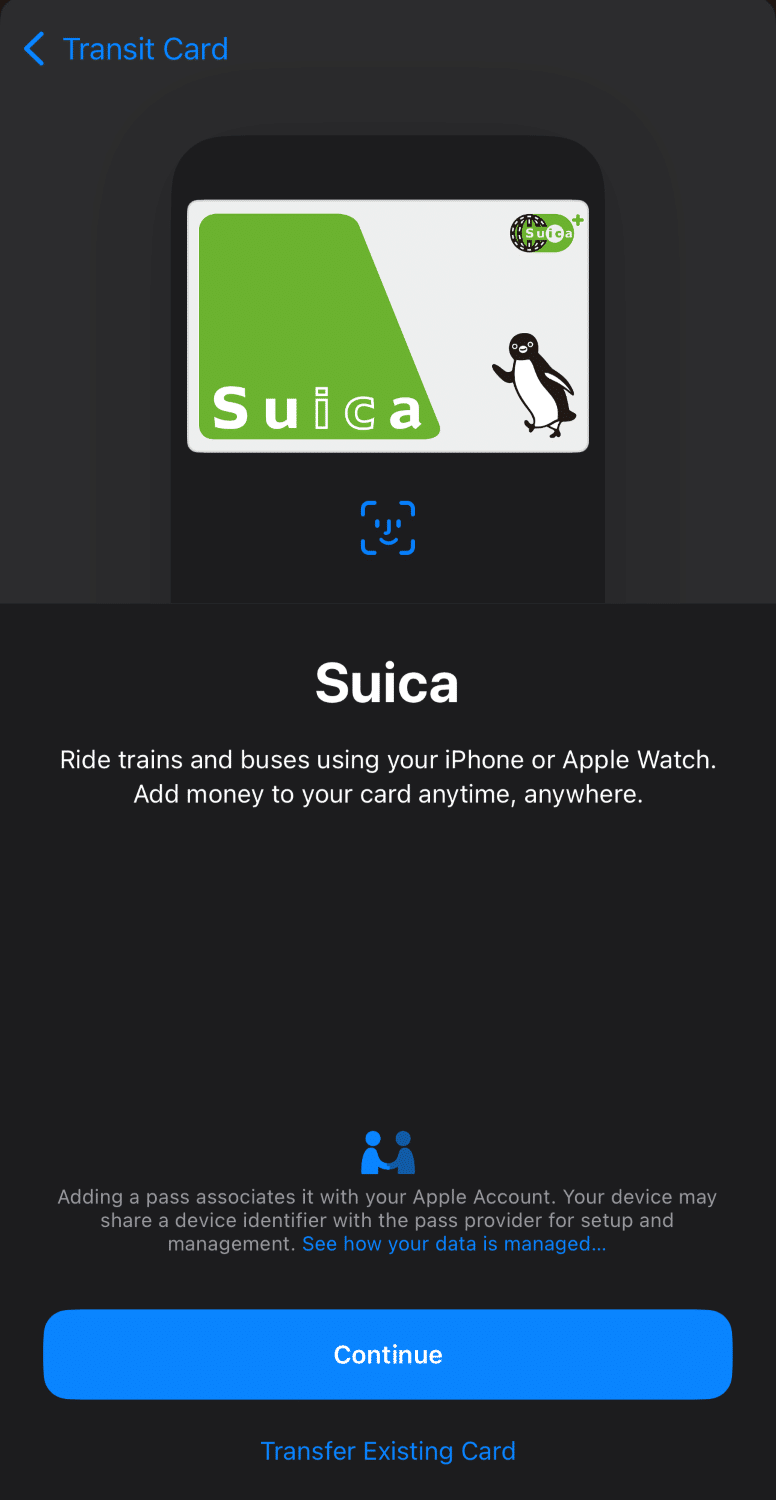
Select the amount you want to add to the card (minimum 1000 JPY), choose your payment method, and then double-press to pay.

You are also able to reload your Suica in your Apple Wallet with cash at train station vending machines and convenience stores as well.
Adding the Suica Card to your Apple Watch
The process for adding the Suica Card to your Apple Watch is very similar to the setup for the Apple Wallet. If you already have cards added to your Apple Watch, it’s the same process.
Start by opening the Watch app on your iPhone and then scroll down to Wallet, near the bottom of the 3rd menu.

If you already have a Suica Card set up, you can simply press the “Add” button to the right of the card. If you need a new Suica Card, press “Add Card” at the top of the page and the set up is the same as adding a new card to your Wallet.

Returning Your Suica Card
If you’re done with using your Suica Card, or you want the unused portion of the balance back, you can go to a JR East ticket office for a refund. You can also find Refund machines at Narita Airport. Suica Card refunds will have a 220 JPY processing charge. You will be given the balance plus the 500 JPY refundable deposit back, with the processing charge automatically deducted.
Pasmo cards, which are handled by non-JR stations in the Tokyo area on the other hand do not have a processing charge. You will receive your full Suica balance and deposit back but this can only be done at a Tokyo or Toei subway or private railway station office.
Conclusion
Suica cards are an easy way to pay for transportation, shopping, and services around Japan. Its use is very similar to a debit card, where you don’t have to bring cash everywhere you go. It’s also very convenient to reload your card, with most convenience store ATMs and JR stations allowing you the ability to add money.
Additionally, with the option to use the Suica Card in your Apple Wallet, you don’t have to bring a physical card with you every time you need to pay. Personally, Suica and IC cards are my primary method of payment in Japan because of its easy use and being able to travel around without a bunch of coins or bills everywhere I go.
Frequently Asked Questions
The minimum cost of a card is 2000 JPY, where 500 JPY is used as a deposit for the card. The remaining 1500 JPY can be used towards purchases.
Yes! At most stores and services that accept credit card payments, IC cards like the Suica will most likely be accepted, though double check with the retailer. Large convenience store chains, like 7 Eleven, Lawson, and FamilyMart will accept IC cards. Some vending machines and even hotels will accept IC cards as a payment method.
In terms of usage, Suica, Pasmo, and ICOCA cards operate the same way as a tap card. The difference between Suica/Pasmo and ICOCA cards is that Suica and Pasmo are issued in Eastern Japan (Tokyo and the surrounding area) whereas ICOCA is issued in West Japan (Osaka, Kyoto and its surrounding areas).
Mobile Wallets such as the Apple and Google Wallets both support adding an IC card to pay for transactions. The steps to add an IC card are as follows:
- Go to the Wallet app and press the plus sign to add a new card.
- Select Transit Card.
- Scroll down past the other transit agencies with smart cards until you reach Japan and then tap on either of the 3 options. Suica, Pasmo, and ICOCA can be used interchangeably.
- Select the amount you want to add to the card, (minimum 1000 JPY), choose your payment method, and then double press to pay.
You are also able to reload your Suica in your Apple Wallet with cash at train station ticket machines and convenience stores as well!
You can easily check the remaining balance on your Suica card at a ticket machine or ATM that accepts Suica Cards. If your card is in your Apple Pay Wallet, you can open the Wallet app and select the Suica card to see your balance.
Otherwise, there is also a 3rd party app that I used during my travels in Japan, which was also able to check physical non-Suica IC cards. The app uses the NFC reader on your phone to check the card’s balance. I am not endorsing the app in any way but check them out on the Apple App Store and Google Play Store. The app also displays a balance history of where you’ve used the card too.



Andy Leung
Latest posts by Andy Leung (see all)
- Japan Rail Pass: Is It Worth It? Cost, Coverage & How It Works - Oct 23, 2026
- Haneda vs. Narita: Which Tokyo Airport Should You Choose? - Oct 9, 2026
- Financial Institution Partnerships with Sports Teams in Canada: How Can You Benefit? - Jul 31, 2026
- Review: Petaling Jaya Marriott Hotel - Jul 29, 2026
- Eurail Pass: Complete Guide to Saving Money on European Train Travel (2026) - Jun 8, 2026