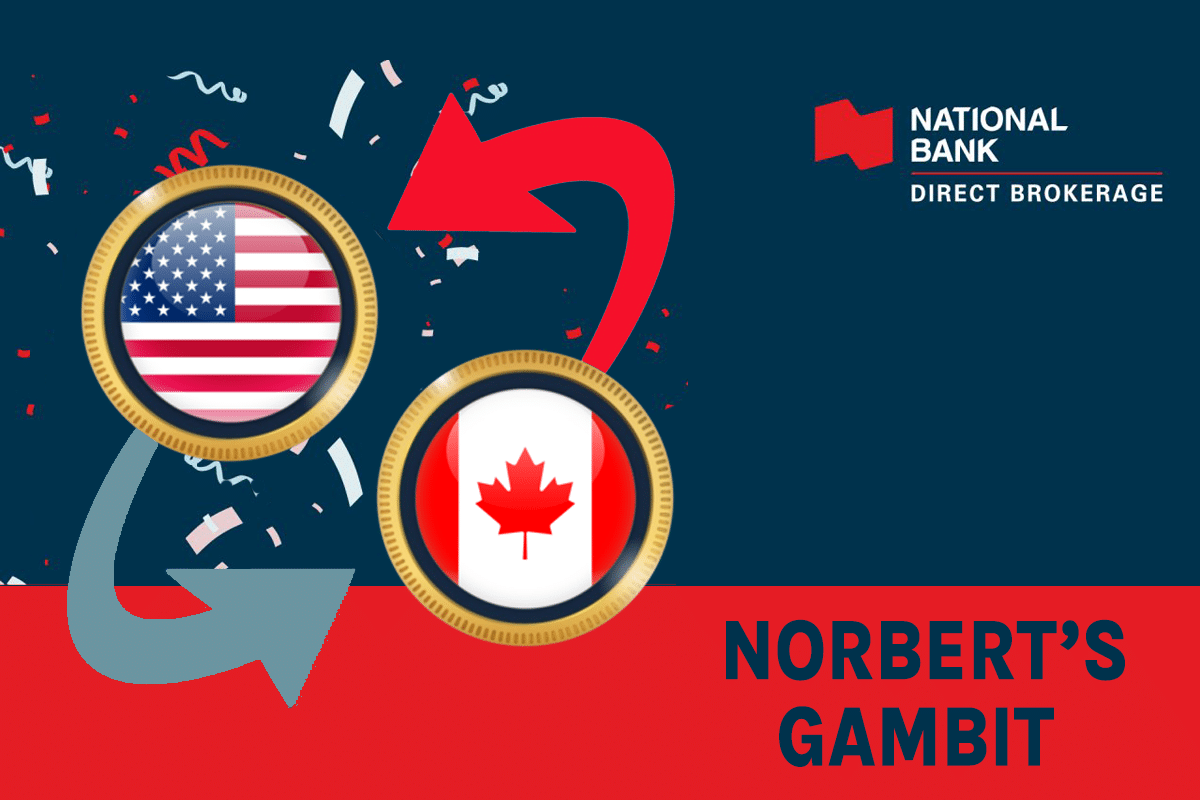
Norbert’s Gambit is a strategy mentioned in our article on the Best Ways to Convert Canadian Dollars to US Dollars. Arguably, Norbert’s Gambit is the cheapest way to convert larger amounts of currency, as the cost is fixed.
While I still use services like Wise, especially through EQ Bank, when I need smaller amounts of USD to pay off my US credit cards, I am leaning more and more toward using Norbert’s Gambit as I go deeper into the US credit card ecosystem and need larger amounts of USD available.
Guide: US Credit Cards for Canadians
Thus, this article is an in-depth, step-by-step guide to doing Norbert’s Gambit with my brokerage of choice, National Bank Direct Brokerage (NBDB). However, the steps will be almost identical for other discount brokerages, such as Questrade or Desjardins Online Brokerage.
What is Norbert’s Gambit?
Norbert’s Gambit is a strategy used to convert Canadian dollars (CAD) to U.S. dollars (USD), and vice versa, without incurring high foreign exchange fees (or transfer fees). It involves buying a stock that trades on both Canadian and U.S. exchanges, typically an ETF or a widely traded company stock.
Here’s a simplified version of how it works for converting CAD to USD:
- Purchase in CAD: Buy a stock on a Canadian exchange (like the TSX) using Canadian dollars.
- Transfer to U.S. Exchange: After the purchase, transfer the stock to a U.S.-denominated brokerage account that allows for cross-border transactions (this process is called ‘journaling’).
- Sell in USD: Once the stock is in the U.S. account, sell it on a U.S. exchange, converting the stock to cash denominated in U.S. dollars.
This method is almost always more cost-effective than directly converting currency through traditional banks or forex services, which can charge significant fees or provide unfavorable exchange rates. Even Wise or Wise via EQ Bank, which have good exchange rates and low fees, pale in comparison to the cost-effectiveness of Norbert’s Gambit.
The higher the amount of currency you convert, the greater the cost savings with Norbert’s Gambit. This is because you have a flat cost and near-exact spot exchange rate with Norbert’s Gambit. See the table below for examples of conversion costs at different amounts of currency converted.
| Amount Converted (CAD) | Norbert’s Gambit | Wise | Big Banks |
|---|---|---|---|
| $1,000 | $9.95 | $10.17 | $30.10 |
| $2,000 | $9.95 | $18.02 | $60.23 |
| $5,000 | $9.95 | $41.59 | $151.78 |
| $10,000 | $9.95 | $66.85 | $271.88 |
However, you should consider transaction fees, tax implications, and the time it takes to complete the process when making your decision.
I tend to roughly follow the above table when deciding whether to use Wise via EQ Bank to convert my currency, or put in the extra effort with Norbert’s Gambit. Suppose I have a new credit card with a massive minimum spend of $10,000, $15,000, or more, like on the American Express Business Platinum Card (US). In that case, I’ll preemptively initiate a Gambit to have the funds ready to pay off the card in the near future.
How to Perform Norbert’s Gambit with National Bank Direct Brokerage
Step 1: Set up a CAD and USD Margin Account with NBDB
Assuming you’ve gone through setting up a basic margin account with National Bank Direct Brokerage, you’ll need to ensure you have a USD Margin Account to complement your CAD Margin Account.
I sent a secure message and had the National Bank staff set this up for me. It was an easy process.
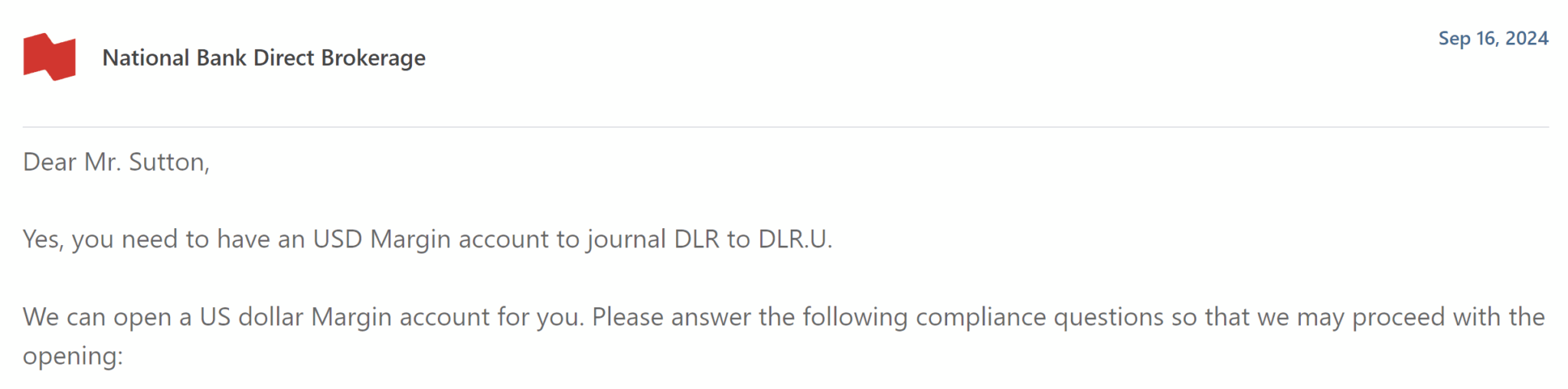
You could also call the service line on the phone, if you prefer. I’ve found them to be helpful and not a long wait time, typically.
Once the account is set up, you’ll need to fund it with Canadian dollars. This can be done by selecting “Transfer” from the main page in the brokerage account dashboard. You can link a National Bank chequing account or another external bank account by selecting “Link a bank account”.

At this stage, you could also link a Canadian-domiciled US dollar account, which you’ll need later on at Step 6 in order to withdraw your USD. National Bank has a help center page with detailed instructions on how to set up external account linkages, for reference.
Step 2: Calculate the Number (and Cost) of DLR.TO Shares to Buy
Once your account is funded with the amount of CAD you want to convert, you’ll need to calculate how many shares of DLR.TO you need to buy. This can be done with a simple calculation where you divide the amount of CAD you want to convert by the current share price of DLR.TO:
# of DLR.TO shares to buy = CAD to convert / Price of DLR.TO
As an example, if I plan to convert $8,000 CAD and the share price of DLR.TO is $13.80, then the # of DLR.TO shares to buy is 8,000 / 13.80 = 579 shares (rounded down).
Step 3: Buy DLR.TO in Canadian Dollars
To initiate Norbert’s Gambit on National Bank Direct Brokerage, begin by logging into your brokerage account at https://client.bnc.ca/nbdb/login. Once you’re logged in, you can open the trading interface by clicking on “Buy” at the top right of the dashboard.
Search for DLR: GLOBAL X US DLR CURRENCY ETF ETF UNITS A USD(CAD). Then enter the quantity you calculated in the previous step.
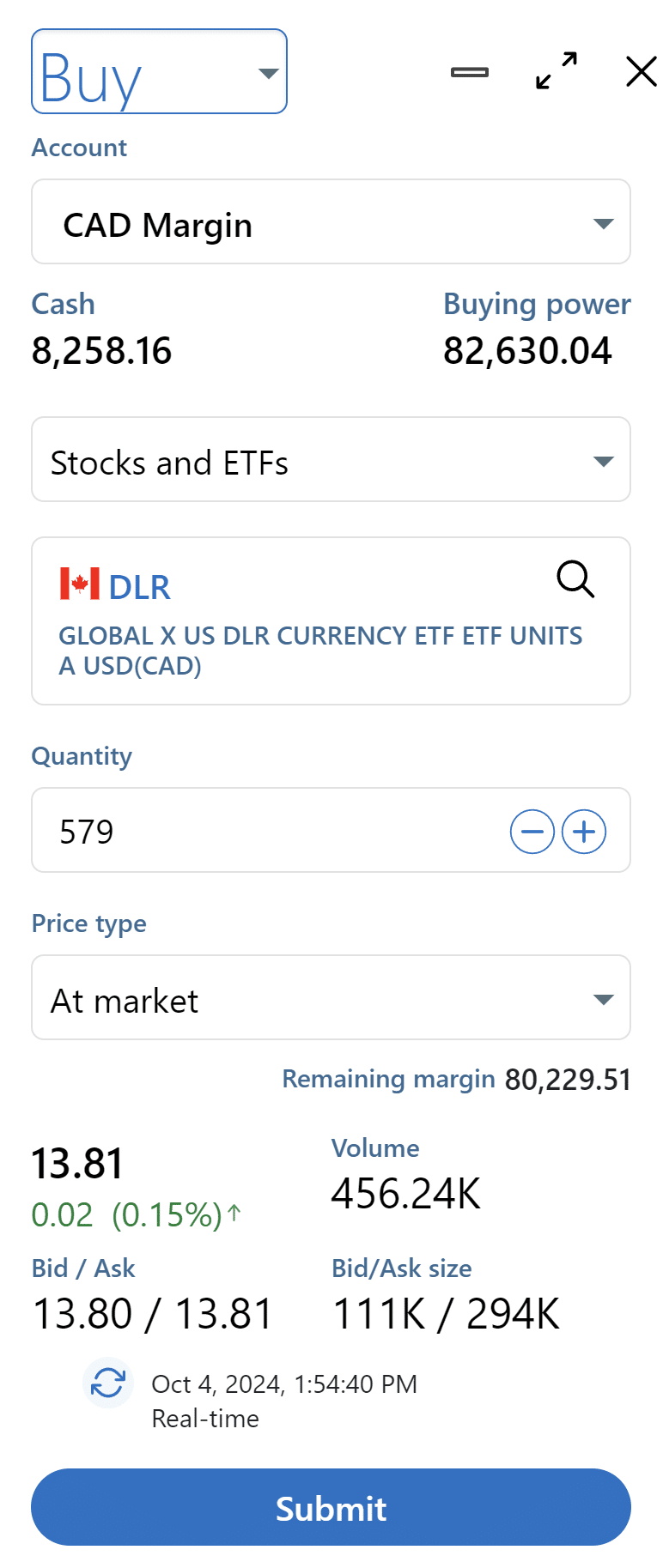
At this stage, you will need to decide whether you want to purchase DLR.TO using a market order or a limit order. A market order immediately executes at the current ask price. This means you’ll be paying slightly more than other order types.
You can also choose to place a limit order, where you set exactly how much you’re willing to pay per share, or you can choose to pay the bid or ask price. If you place a limit order at the ask price, and after some of your order is filled, the ask price increases, you won’t be charged the new higher price. This means you know exactly what you’re paying, but the order may not fill right away.
If you buy at the bid price you’ll be assured of paying that price or less, but the order may not fill right away (or at all, theoretically). A limit order at the bid price will have the slowest execution of the aforementioned order types.
| Limit Order | Market Order | |
| Bid Price | Slowest execution, lowest price | n/a |
| Ask Price | Faster execution, higher price | Immediate execution, highest price |
If you’re absolutely set on converting your currency as fast as possible, a market order is the way to go. Personally, I typically place limit orders at the ask price and they’re filled the same day almost always.
Click Submit when you’ve configured your order to your satisfaction.
Step 4: Request Journaling of DLR.TO to DLR.U.TO
Now that you have bought DLR.TO shares, you can either call (1-800-363-3511) or secure message a National Bank Direct Brokerage representative to journal over the shares.
You can send a secure message by clicking on the small mail icon at the top of your NBDB dashboard to access the Message Centre, and then clicking on “New message”.


Note that there is a journaling fee of $9.95 (plus tax), which you’ll need to make sure you have enough Canadian currency in your account to cover. The journaling process takes about 2-3 business days to complete.
However, once the process is initiated, the representative will put a ‘note’ on your account, which allows you to sell your corresponding DLR.U.TO shares immediately on the US market, even while you wait for the Canadian DLR.TO transfer to settle.
Step 5: Sell DLR.U.TO for US Dollars
As of May 2024, the settlement cycle for most trades in securities has moved to (T+1) from (T+2). This means that your initial buy of DLR should only take one business day after the date of the trade. However, your-mileage-may-vary, as in my case, the settlement date was October 7 after a buy date of October 4, which is (T+2).
However, thanks to NBDB allowing you to immediately sell the shares once the journaling is initiated, the total wait time is still shorter than many other Canadian brokers. Also, rest assured that once you’ve initiated your buy of DLR, you have no currency risk, as you are holding a U.S. cash equivalent with this stock.
(If you go in the reverse direction, however, and convert USD to CAD, you will have exposure to currency fluctuations as the rate is not locked in until you make the sale at the end of the process to CAD).
When you’re ready to sell the DLR.U.TO, simply open the trading interface again, select “Sell” and search for DLR.U: GLOBAL X US DLR CURRENCY ETF ETF UNITS A USD(CAD).
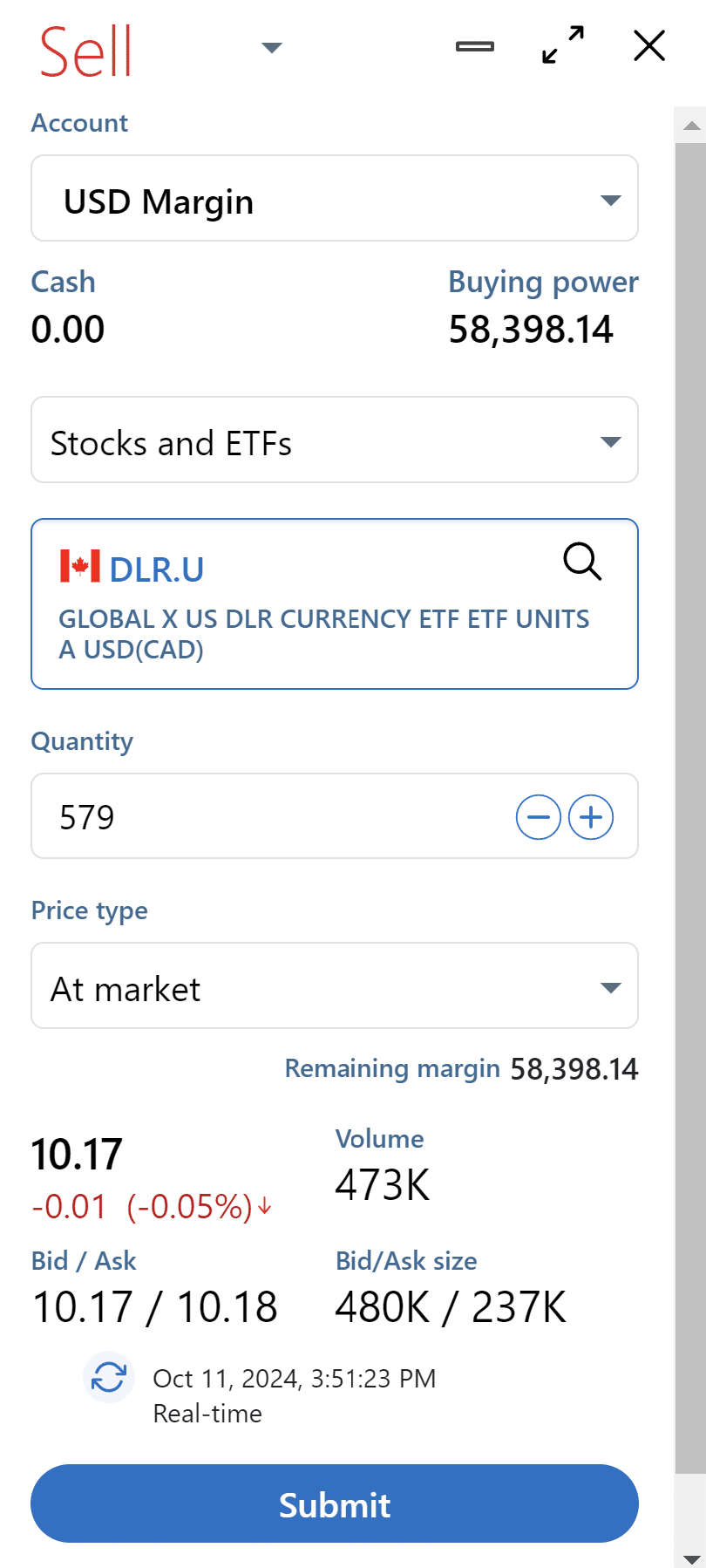
Once again, decide what type of order you want to place. With DLR.U, there is typically less buy-side trading volume so you may be best to simply place a market sell order (bid price).
Step 6: Withdraw Your USD
Now that you have your USD, it’s your choice where to send it. Assuming you want the money to arrive at a US-domiciled bank account, there are a plethora of options available to you which will depend on your personal banking setup.
If you have a US dollar account at a big 5 Canadian bank, you can typically send USD from that account across the border to a US account at the same bank for low or no cost. For example, I could transfer my USD from National Bank → TD US $ Daily Interest Chequing Account (Canada) → TD Convenience Checking (USA).
I actually opt to transfer my USD to my EQ Bank US Dollar Account, and then send it directly to my TD Convenience Checking account via EQ Bank’s Wise integration. This has a cost of about $3.00 USD.
To set something like this up, you simply need to link your Canadian US dollar account within National Bank Direct Brokerage as an external account linkage (the same process discussed in Step 2 above). You will be asked to choose your bank, enter your login credentials, and select your account to link (handled via Flinks software). This linkage takes 24 to 48 hours to finalize. Note that you can link up to three bank accounts per currency to your profile.
When ready, initiate your transfer by clicking “Transfer” at the top of the dashboard menu. The last time I did this, the funds landed in my EQ Bank account in 2 business days.

From there, you will need to link your US-domiciled account in EQ Bank. Then you can initiate a direct transfer from the EQ Bank US dollar account to your US-domiciled bank account at virtually any institution in the USA, for the aforementioned cost of $2.92 USD in this case.

The biggest hurdle in this process is linking all the accounts to each other. Once that’s done it’s very straightforward to send your money from the brokerage to EQ Bank (or another Canadian US dollar account at a bank of your choice) and onward to your US-domiciled bank account. Keep in mind the total lead time is about a week from placing your trade to having USD in your US bank account.

Thankfully, this process has also been made a little smoother since I first used NBDB for Norbert’s Gambit. In the beginning, external account linkages for US dollar accounts were not possible to complete online with Flinks. Instead, you had to mail a cheque for $25 USD to National Bank headquarters.

This was further complicated by the fact that EQ Bank doesn’t issue cheques for its US dollar accounts. So I had to create my own cheques for my account using Cheques Plus and then mail one of those to National Bank.
Needless to say, I am happy they’ve modernized their processes. Hopefully, next they’ll update their live chat to have real people …
Conclusion
Norbert’s Gambit is a bit intimidating to set up, especially for those unfamiliar with online brokerages or with placing trades. There is something to be said for the convenience of using services like Wise to convert currency.
Nonetheless, Norbert’s Gambit becomes worth the effort exponentially with the quantity of currency you convert, due to its flat rate cost. If you are in such a situation, hopefully you found this article helpful in adding the Norbert’s Gambit technique to your toolbox.

Happy gambiting!
Frequently Asked Questions
The direct cost of Norbert’s Gambit with National Bank Direct Brokerage is $9.95 (plus tax) which amounts to about $10.45 Canadian dollars. However, there can be additional costs associated with transferring your US dollars to a US-domiciled bank account. For example, with Wise it costs a flat rate of about $3.00 US dollars. This would bring your total cost to around $15.00 Canadian dollars.
No, there is no minimum balance required to open a brokerage account with National Bank. You can open your account with $0 to start.
There are generally no fees with NBDB, as it is a “commission-free” self-directed brokerage. You will pay no fees to trade online for stocks, Exchange-Traded Funds (ETFs), investment funds, Guaranteed investment certificates (GIC), Exchange-Traded debentures, or fixed income securities. Trading options contracts or trades assisted by an agent will have a cost.

Reed Sutton
Latest posts by Reed Sutton (see all)
- Rogers Red Credit Cards: Changes Inbound - Aug 18, 2026
- Review: The Brown Palace Hotel and Spa, Autograph Collection - Aug 12, 2026
- Earn up to 70,000 WestJet Points & $125 FlyerFunds! - Aug 9, 2026
- LIMITED TIME OFFER: BMO Ascend World Elite®* Mastercard®* - Aug 2, 2026
- Win a $500 Porter Airlines e-Gift Card from Frugal Flyer - Aug 1, 2026