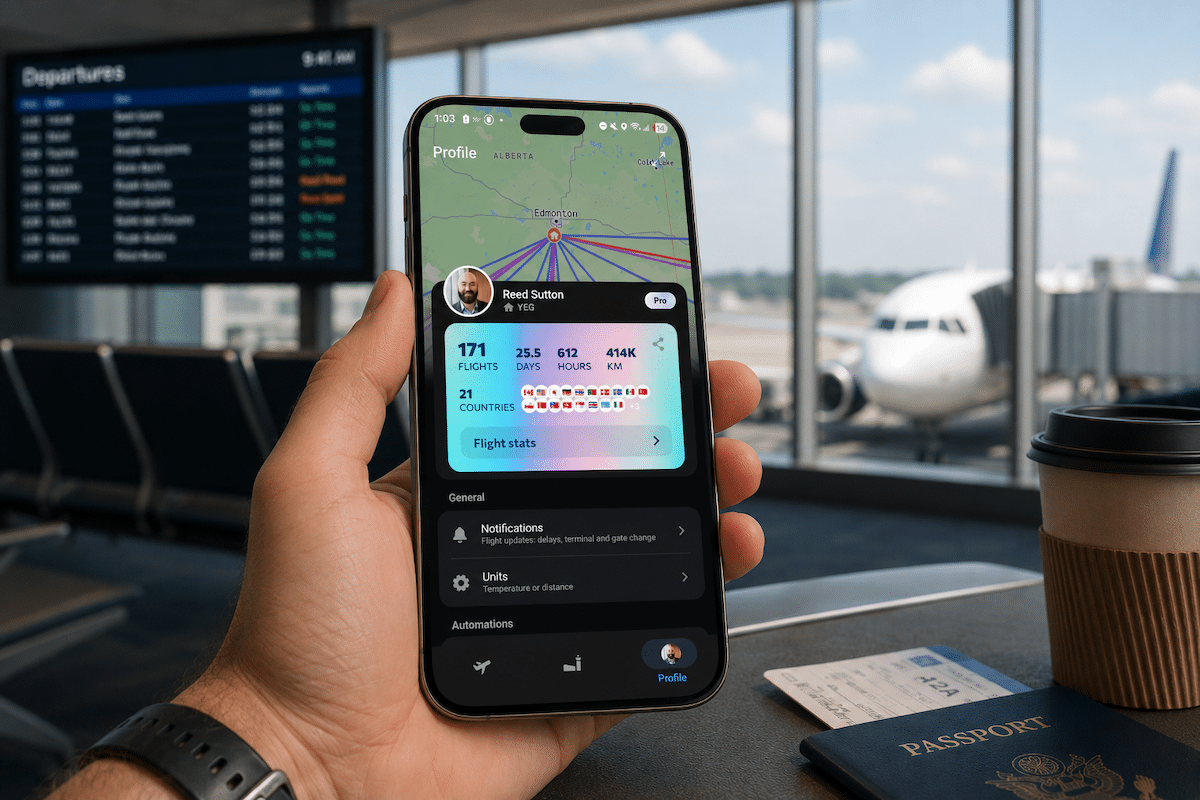
If you’re a compulsive checker of the airport departures board, watching in case your gate suddenly changes, byAir wants to take that job off your hands. Available on both iOS and Android, byAir is a flight tracker and airport companion that pulls together real-time status updates, terminal and gate info, baggage claim details, and even local weather and timezone changes at your destination.
So is byAir worth adding to your travel toolkit? Read on to find out.
What is byAir?
byAir is a cross-platform flight tracker that focuses on your specific travel itinerary rather than a global radar view. Once you enter your flight number, it creates a personalized dashboard covering things like flight details, likelihood of delays, weather at your destination, departure and arrival boards, and even directions to navigate the airport terminal.

As an app available on both iOS and Android, byAir is the biggest cross-platform rival to the popular Flighty app, and the strongest (only?) individual flight tracking app available to Android users.
Plans and Pricing
The byAir app offers a free basic tier and a premium subscription (“byAir Pro”) for advanced features like live push notifications and unlimited flight history.
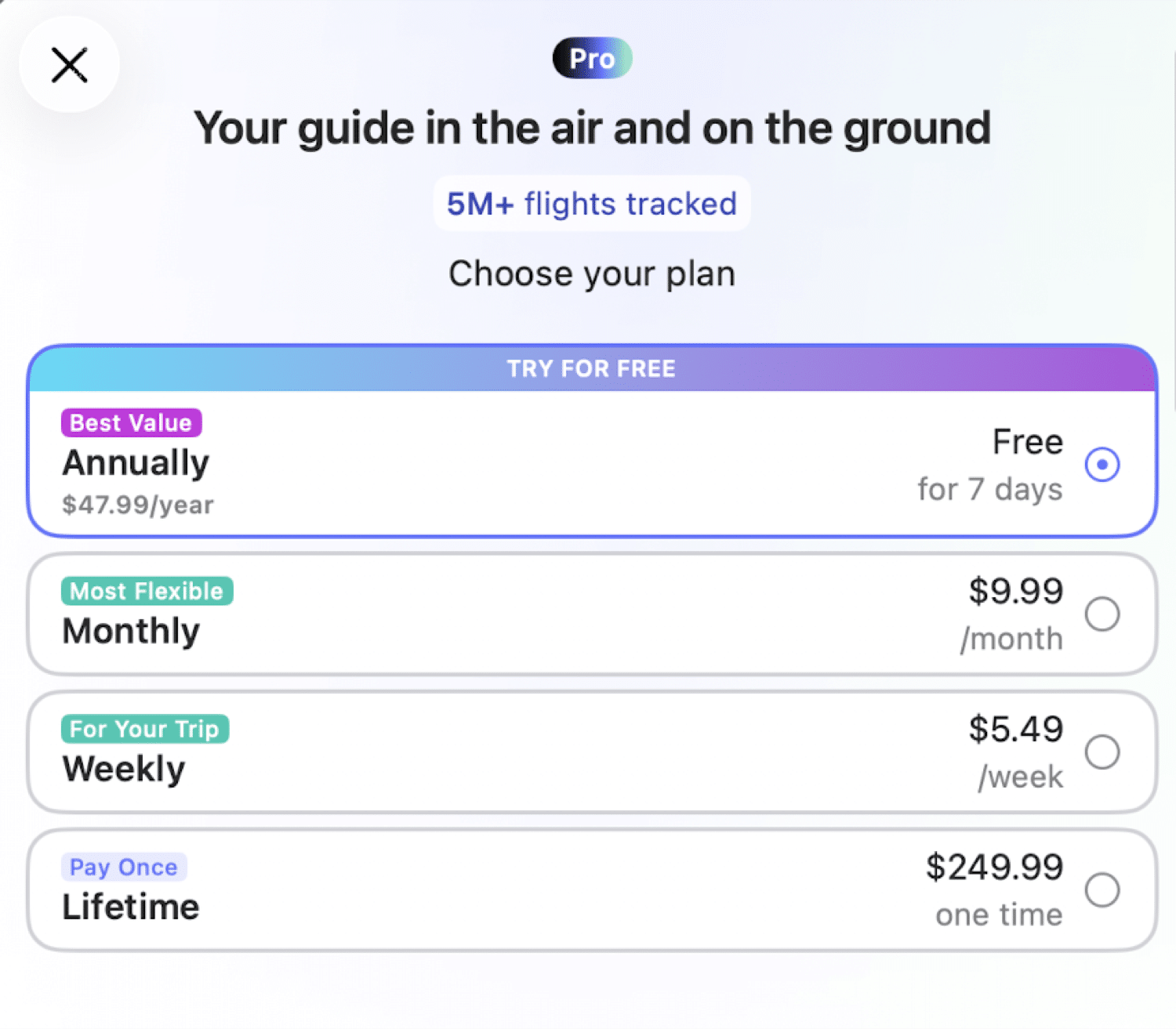
At the time of writing, pricing tiers range as follows:
- Weekly: ~$5.49 USD
- Monthly: ~$9.99 USD
- Annual: ~$47.99 USD
- Lifetime: ~$249.99 USD
The lifetime plan is a little steep, but the pricing is comparable to Flighty overall and if you plan on being a longtime user of the app then it could be justified.
Feature Comparison – PRO vs Free Version
| Features | Free | PRO |
|---|---|---|
| Flight tracking & basic status updates | ✔️ | ✔️ |
| Push notifications | ✔️ | ✔️ |
| Delay probability index | ✔️ (basic) | ✔️ (real-time, advanced) |
| Destination weather & airport overview | ✔️ | ✔️ |
| Inbound aircraft tracking | ✔️ | ✔️ |
| Gate, baggage & terminal info | ✔️ | ✔️ |
| Online check-in (100+ airlines) | ✔️ | ✔️ |
| Calendar/email flight sync | Limited | Unlimited (Gmail/Outlook auto-scan, Forward Bookings) |
| Historical flight searches | Limited | Unlimited |
| All notification types (delays, gate changes, etc.) | ✔️ Partial | ✔️ Full |
| Live Activities / Live Updates (iOS/Android widgets) | ❌ | ✔️ |
| Apple Watch notifications | ❌ | ✔️ |
| Quick Scan | ❌ | ✔️ |
| Travel documents storage | ❌ | ✔️ |
| Family/friend updates via WhatsApp & Telegram | ❌ | ✔️ |
| AI Integration (MCP) | ❌ | ✔️ |
| Ads | None (ad-free on both tiers) | None |
Core Features
The byAir app has a host of useful features mentioned above, including realtime flight info and alerts, airport details pages, automatically sending flight updates to family and friends via whatsapp, widgets, and apple watch, auto-importing of flights, flight statistics and personal flight history, and more.
The app has a beta version as well and is always adding new features, like the recently added AI Integration where you can give contextual information from byAir to Claude, ChatGPT, and other AI tools.
I won’t dive deep into every byAir feature, but I will detail a few core features that I find rather useful.
Flight Tracking
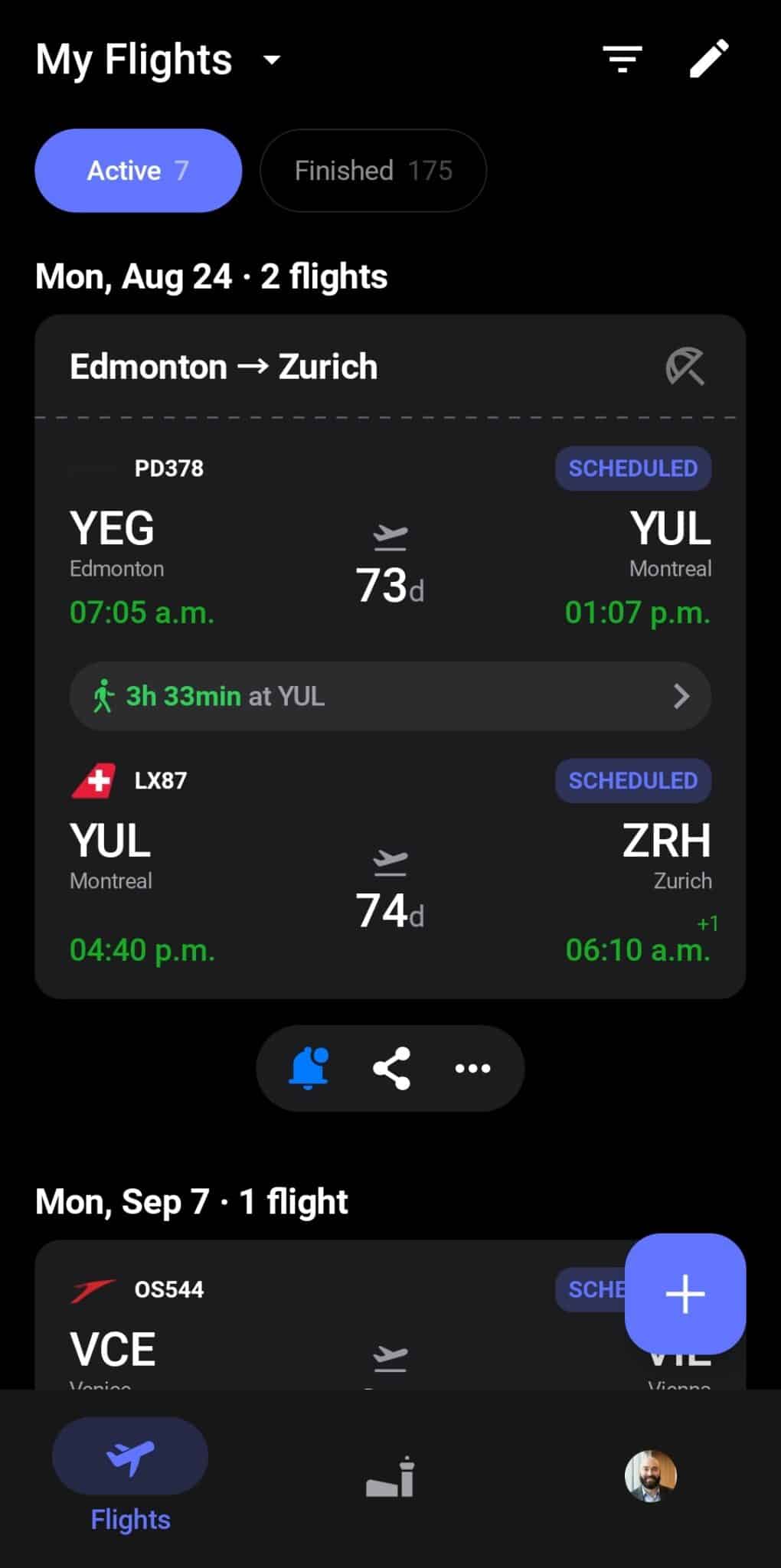
Obviously one of the main features of byAir is keeping track of all your flights in one single place, and byAir does this well. It’s also very good at recognizing separately booked flights as part of the same itinerary, for example you can see that my Porter connecting flight from YEG to YUL is grouped with my long-haul Swiss Airlines flight from YUL to ZRH, which I booked with Aeroplan.
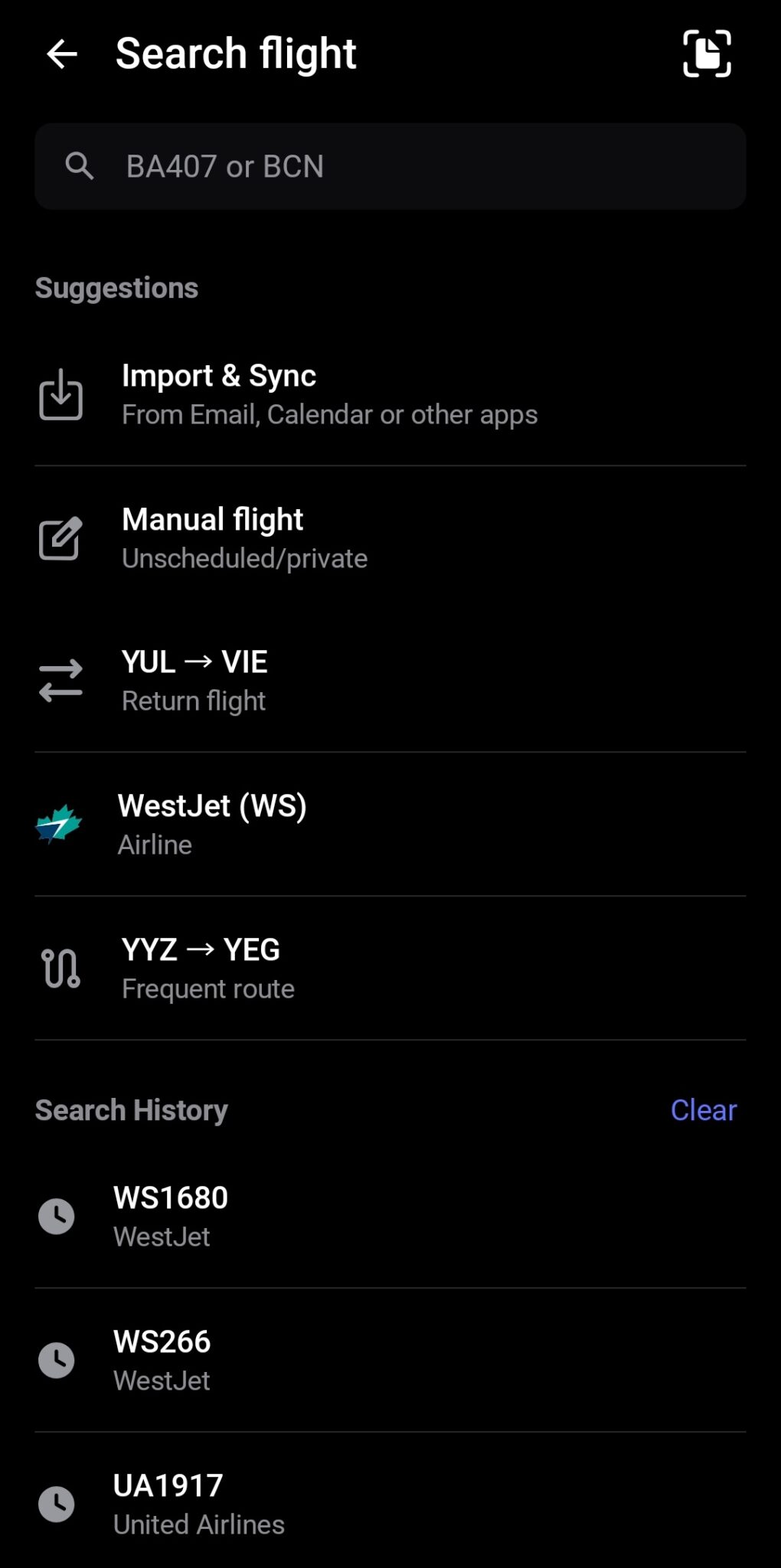
Adding flights is easy, as you can search flight number and date manually, import and sync from email or calendar, or even manually forward flight booking emails.
There are a lot of flight details that can be included, like booking code and seat number. ByAir automatically links to things like baggage policies on the official airline webpage for quick access, and allows you to upload travel documents or booking confirmations for quick reference.
Real Time Notifications
This is where byAir really excels for travel days. Once your flight is added, the app sends push notifications for any change that matters: gate assignments, gate changes, departure delays, boarding calls, and baggage claim info as soon as it’s available.
On the free plan, you get the essentials. Upgrade to Pro and you unlock the full set of alert types, plus Live Activities on iOS and Live Updates on Android. That means flight info sits right on your lock screen, updating in real time without you needing to open the app at all.
Pro also lets you share these updates automatically with friends and family over WhatsApp or Telegram. So if someone is picking you up from the airport, they can get a notification when your flight lands. (I will say, this feature would probably be more useful as SMS rather than WhatsApp, and who uses Telegram?)
In practice, I’ve found the notifications come through quickly and reliably, sometimes before the airline’s own app caught up (looking at you especially, WestJet).
Find My Plane – Inbound Tracking
Tracking your inbound plane to stay aware of potential delays is something that a lot of people use apps like FlightAware for. But byAir offers this same functionality, available in the app around 12 hours prior to departure.
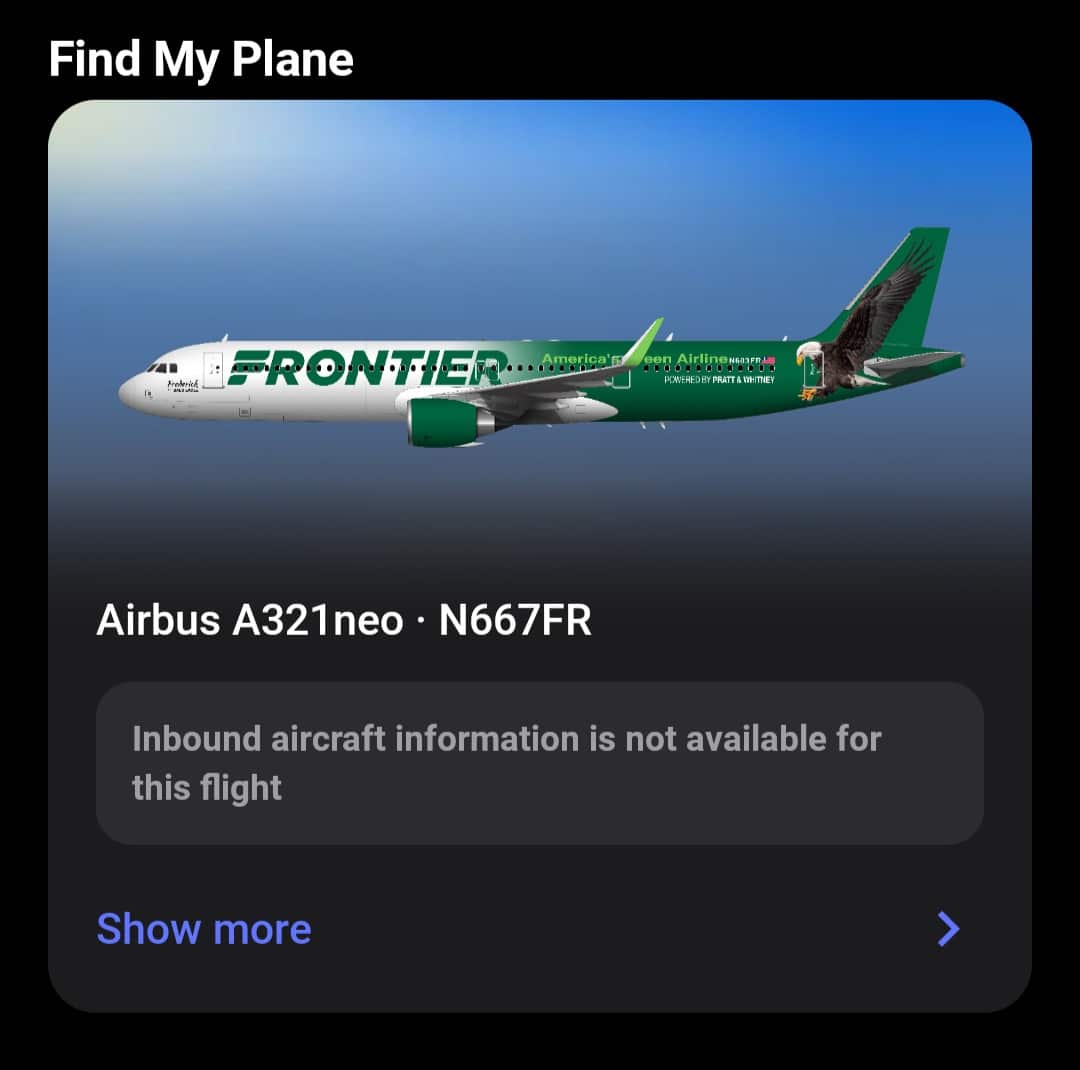
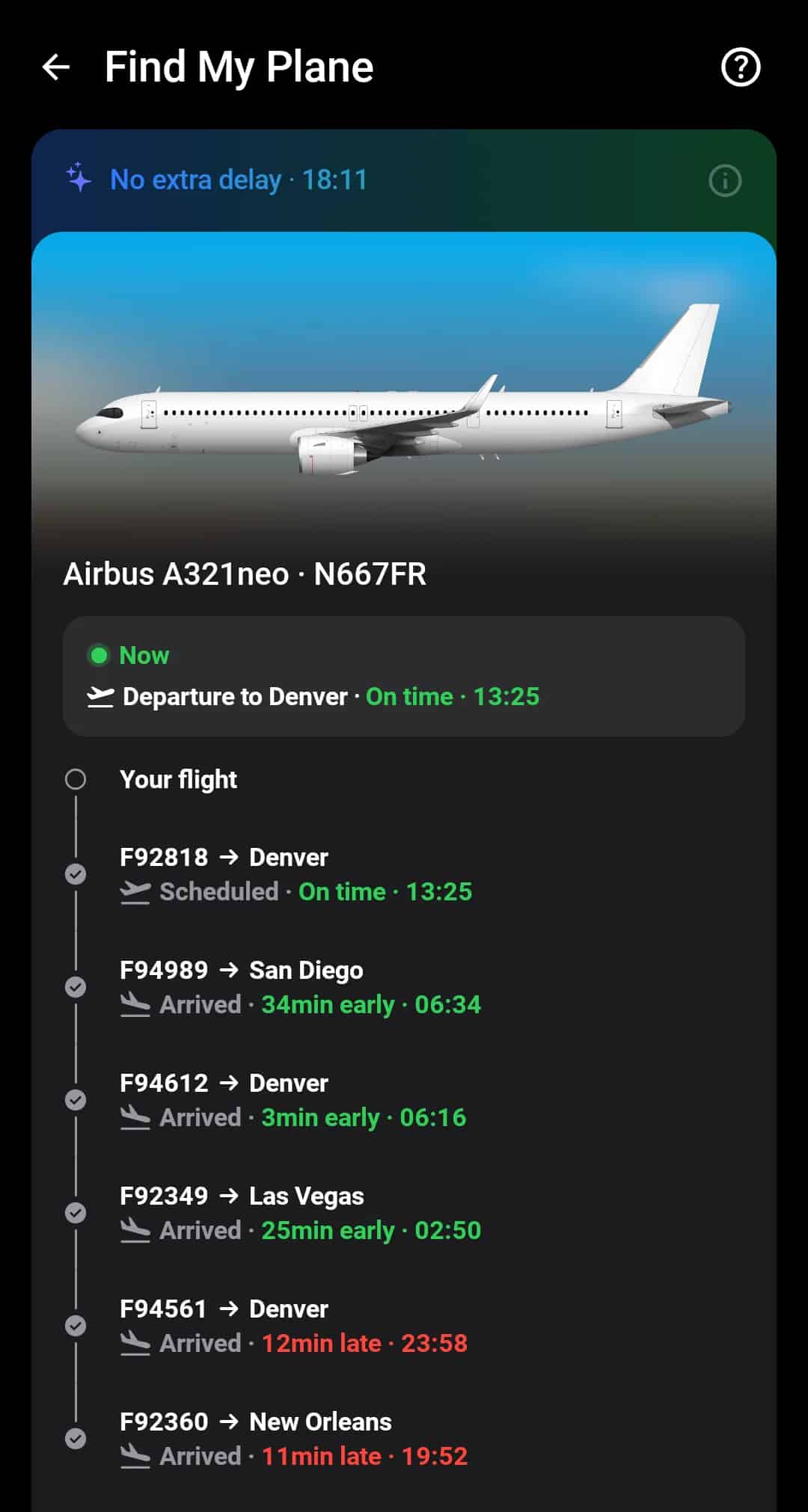
While FlightAware is a little bit more detailed, I find this feature has everything I need. You can also click on any flight to go into the details including live map location, just like FlightAware.
Historical Flight Stats
The historical flight stats available on your profile are a bit of a fun and nerdy feature, analogous to the “Flighty Passport”. This will show at a glance your number of flights taken, days spent traveling, and countries visited.
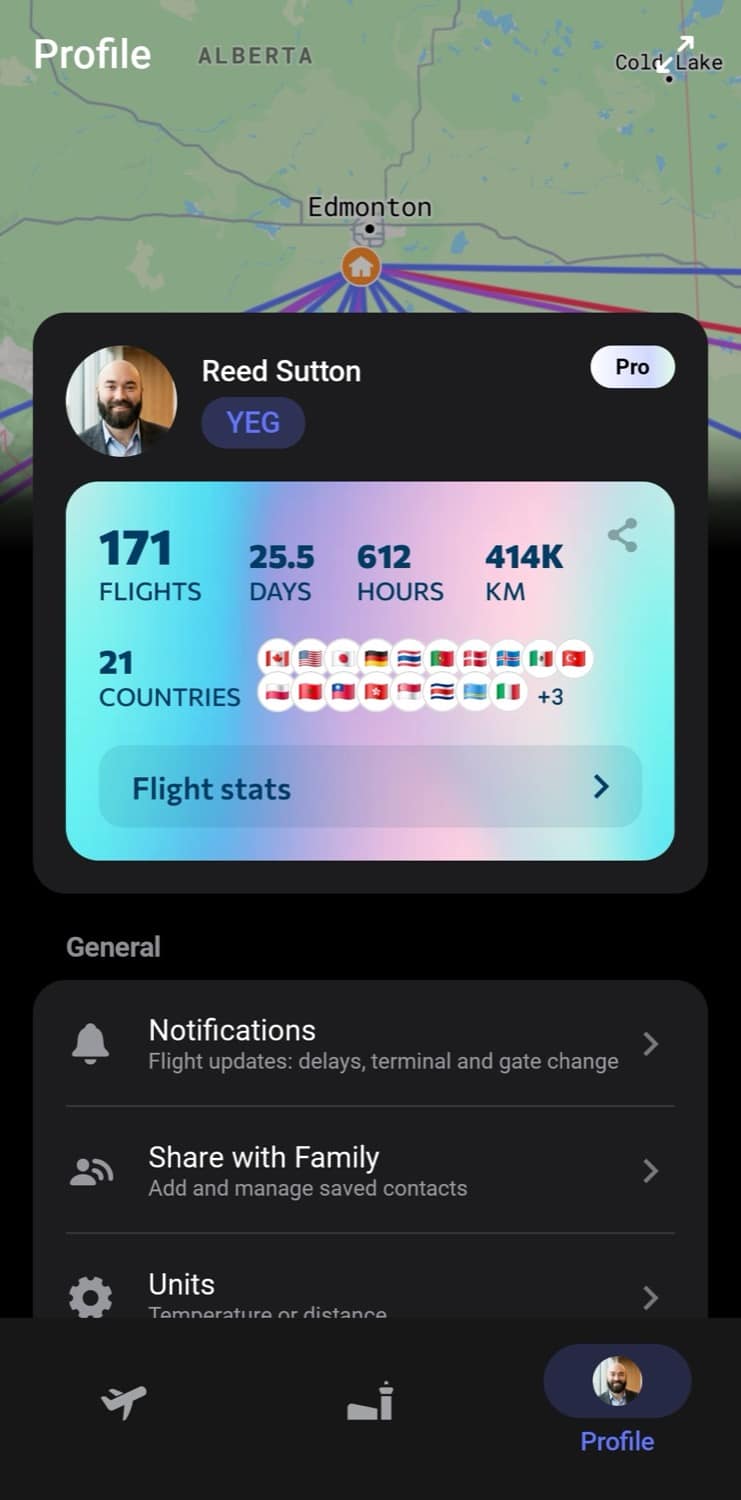
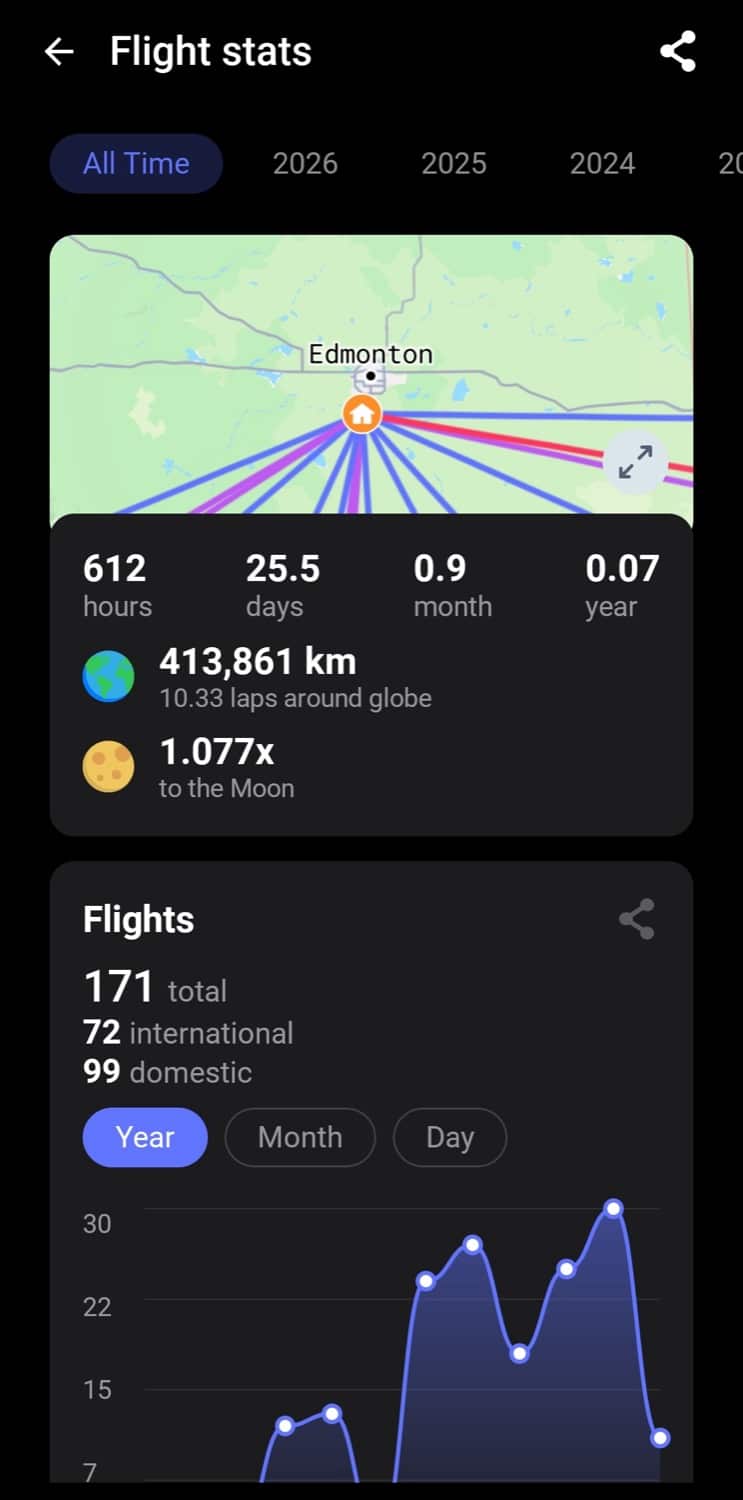
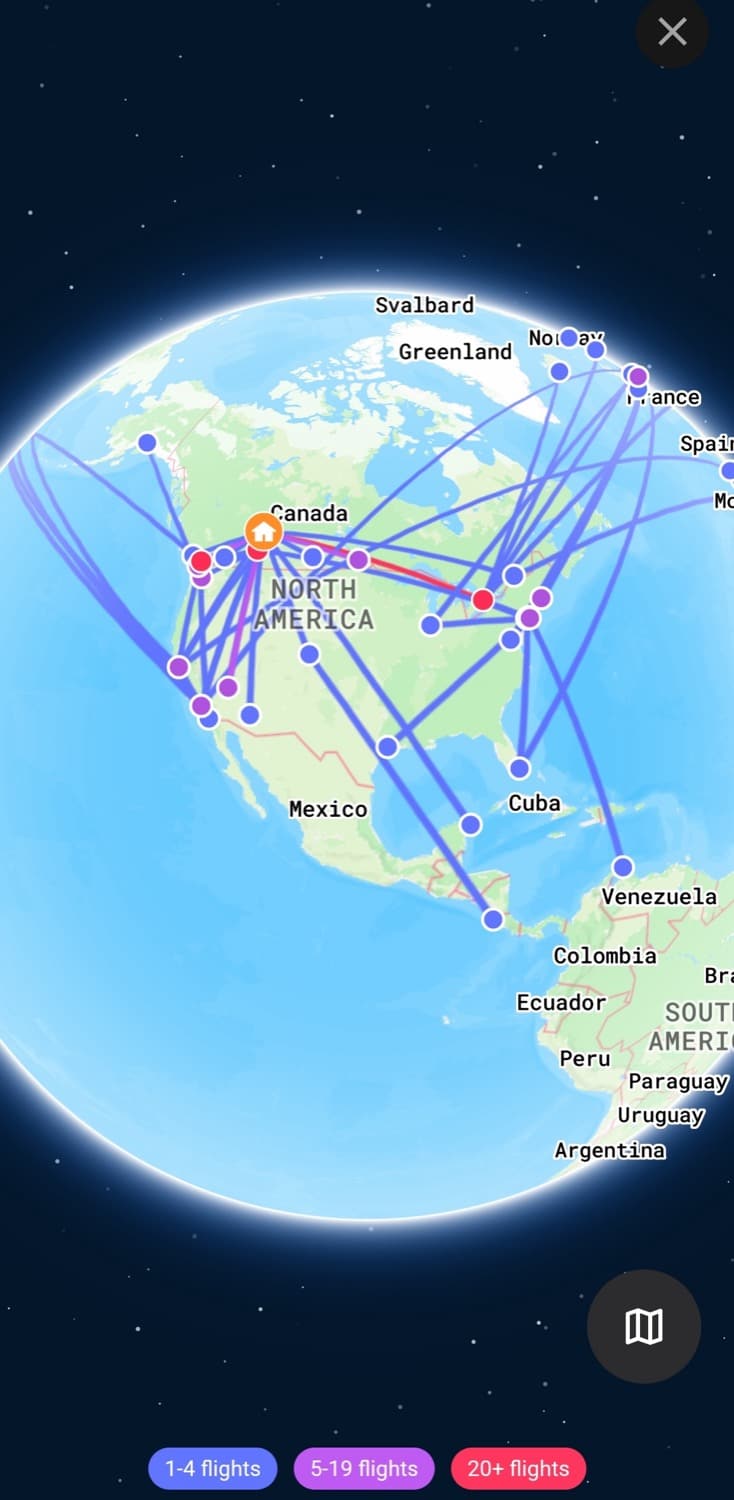
You can deep dive into much more detailed stats, including filtering and comparing your travel patterns by year, delay statistics, cabin class percentages, total airports visited, which specific aircrafts, airlines, or airline alliances you’ve flown, and much more.
As an aside, although I know it would be a bit counterintuitive to the whole concept of ‘by Air’, it would be nice to be able to manually add land travel to the app. I would rather have accurate statistics of countries I’ve visited, rather than countries I’ve flown to, and at the same time I don’t really care enough to download or track that in an entirely separate app.
Conclusion – Who is byAir For?
If you’re an Android user who’s been jealous of all the Flighty hype, byAir is the closest thing you’ll get. It covers all the basics well, looks good doing it, and the free tier is generous. It’s also a solid pick for anyone who flies often enough to care about things like delay predictions, inbound aircraft tracking, or just having all their flights organized in one place instead of scattered across email confirmations and airline apps.
Where it might be overkill is if you only fly once or twice a year. In that case, your preferred airline’s own app will probably cover what you need. But if you’re a frequent flyer who wants a single app to handle tracking, notifications, and trip stats across every airline you fly, byAir is well worth a download, and the Pro subscription is reasonably priced if you decide you want the extra features.

Reed Sutton
Latest posts by Reed Sutton (see all)
- Rogers Red Credit Cards: Changes Inbound - Aug 18, 2026
- Review: The Brown Palace Hotel and Spa, Autograph Collection - Aug 12, 2026
- Earn up to 70,000 WestJet Points & $125 FlyerFunds! - Aug 9, 2026
- LIMITED TIME OFFER: BMO Ascend World Elite®* Mastercard®* - Aug 2, 2026
- Win a $500 Porter Airlines e-Gift Card from Frugal Flyer - Aug 1, 2026