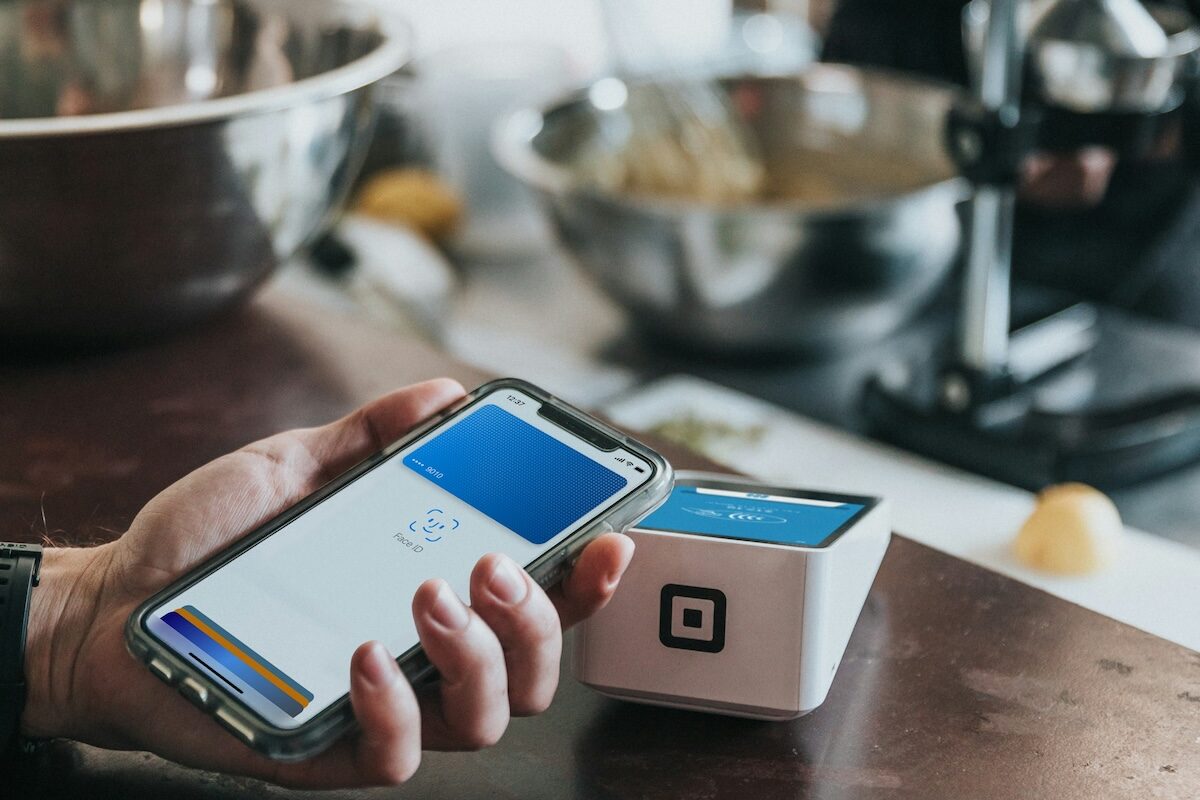
If you’ve ever watched someone in line at Tim Hortons fumble through their physical wallet for the right card while you just double-clicked the side button on your phone and tapped, you already know the appeal of mobile wallets. They’re fast, they’re convenient, and, perhaps most importantly for readers of Frugal Flyer, they still earn you all the same points and rewards as the physical card sitting in your wallet.
Yet for something that’s been around for over a decade, there’s still a surprising amount of confusion about how they work and whether they’re worth bothering with. Let’s break it down.
What Are Mobile Wallets?
A mobile wallet is a digital version of your physical wallet that lives on your mobile device, whether that is a smartphone or smartwatch. Instead of pulling out a card to tap at a terminal, you hold your device near the reader, authenticate with your face or fingerprint, and you’re done.
The technology behind it is NFC, or Near Field Communication, which is the same short-range wireless tech powering the contactless chip in your credit card, but with an added security layer.
When you pay with a mobile wallet, your actual card number is never shared with the merchant. Instead, the wallet creates a one-time token, which acts as a randomized stand-in for your real card details. This is called tokenization, and it means that even if a merchant’s system gets breached, your information stays safe.
Types Of Mobile Wallets
Which mobile wallet app you use is largely dictated by which brand of smartphone you own.
Apple Pay is the big one for iPhone and Apple Watch users. It’s built into iOS, requires no download, and is widely accepted at Canadian retailers.
Google Wallet, previously known as Google Pay, is the Android counterpart, handling NFC tap-to-pay and also storing loyalty cards and boarding passes. Samsung Wallet, previously known as Samsung Pay, rounds out the trio for Samsung device owners.

Niche alternatives like Garmin Pay exist for fitness watch enthusiasts, but the common thread is NFC: if a terminal accepts contactless payments, it’ll accept any of these.
Benefits Of Mobile Wallets
Convenience is the headline. You can store multiple cards and switch between them on the fly, which is handy if you carry a credit card combo optimized for different spending categories. Mobile wallet payments also work for online purchases and in-app purchases, letting you check out with a fingerprint instead of typing your card number.
Security is the other big draw. Tokenization means your real card number never touches the merchant’s system when using a mobile wallet as your payment method. Add biometric authentication on top, and a stolen phone is far less useful to a thief than a stolen credit card.
Here’s something worth understanding: your bank wants you to use a mobile wallet. Reduced fraud costs from tokenization, increased card usage from sheer convenience, and, as I wrote about in my article about Canadian credit card tiers, higher interchange revenue on the online and in-app purchases that mobile wallets make frictionless. The networks and issuers aren’t pushing these out of the goodness of their hearts.

And most critically of all, you still earn the same points, cash back, and rewards as you would with the physical card. Your Aeroplan points, your spending cap multipliers, and more all still apply.
When Does It Make Sense To Use A Mobile Wallet?
Most of the time, and in more situations than you might think.
Where mobile wallets really shine is traveling. I’ve written about the headaches of two-factor authentication abroad, and a mobile wallet and utilizing mobile payments sidesteps some of those by keeping your payment method with you on your mobile phone without the risk of losing physical credit and debit cards in an unfamiliar city.
They’re also great for everyday purchases, including coffee runs, transit fares, and a quick snack. If you rotate between cards depending on the spending category, mobile wallets work well for switching between credit cards to whichever one has the best earning rate for your purchase category.
One advantage that often gets overlooked: mobile wallets can bypass the standard contactless tap limits that apply to physical cards. In Canada, a physical card tap is typically capped at $250 for credit and $500 for Interac debit.
But because mobile wallet transactions use biometric authentication as a PIN equivalent, those ceilings shouldn’t apply, as you should be able to tap your phone for a $1,200 purchase that your physical card would force you to insert and provide your PIN for. That said, not every Canadian payment terminal or bank has caught up to the spec, so for higher-value purchases, it’s worth having the physical card as backup.
This is the same infrastructure behind products like IKEA’s PayPlan by RBC, which lets Canadians finance purchases between $500 and $20,000 by loading approved funds directly into Apple or Google Wallet on their mobile device via a virtual RBC Visa to tap at checkout. A digital credit card in your mobile wallet that can fund a sofa purchase is weird, but convenient.

The main limitations? A dead phone battery and the small number of merchants who still don’t accept mobile wallet payments. Don’t leave your plastic rectangles at home just yet.
Conclusion
Mobile wallets aren’t a gimmick; they’re a better way to pay for most Canadians. Stronger security, the same rewards you’d earn with a physical tap, and your entire credit card lineup accessible from one device.
If you haven’t set one up yet on your mobile device, it takes two minutes: open Apple Wallet or Google Wallet, add your cards, and you’re off to the races.
Until next time, tap responsibly.
Frequently Asked Questions
Yes. Apple Watch supports Apple Pay, Wear OS smartwatches support Google Wallet, and Garmin watches have their own Garmin Pay system. You can leave your phone at home and tap your wrist at any NFC-enabled terminal.
No. Apple Pay is exclusive to Apple devices, which include the iPhone, Apple Watch, iPad, and Mac. If you’re on Android, Google Wallet is your equivalent and functions very similarly.
You can download the Google Wallet app on an iPhone to store loyalty cards, passes, and tickets, but you cannot use it for NFC tap-to-pay at terminals. For contactless payments on an iPhone, you’ll need to use Apple Pay.

Kirin Tsang
Latest posts by Kirin Tsang (see all)
- Canada Post MyMail: Track Your Incoming Credit Card Mail & More - Oct 12, 2026
- Scotiabank Amex Offers: Don’t Leave Cash On The Table - Oct 5, 2026
- EU261 Regulations: Know Your Air Passenger Rights - Oct 2, 2026
- BMO eclipse Visa Infinite Card Review - Oct 1, 2026
- BMO Blue Rewards World Elite Mastercard Review - Sep 27, 2026